World‑wide Mobile Radiation Check & AI Safety Dashboard
Check the SAR/RF exposure of any mobile phone, laptop, tablet, or iPhone. Protect your family from radiation with simple Hinglish AI tips – without medical jargon.
- • Guest: 1 free SAR check + basic tips
- • Free User: 3 devices, 20 checks / month, history
- • Premium: Unlimited checks, advanced AI, PDF reports, alerts – feels like a $100 safety suite.
Mobile Radiation Visual
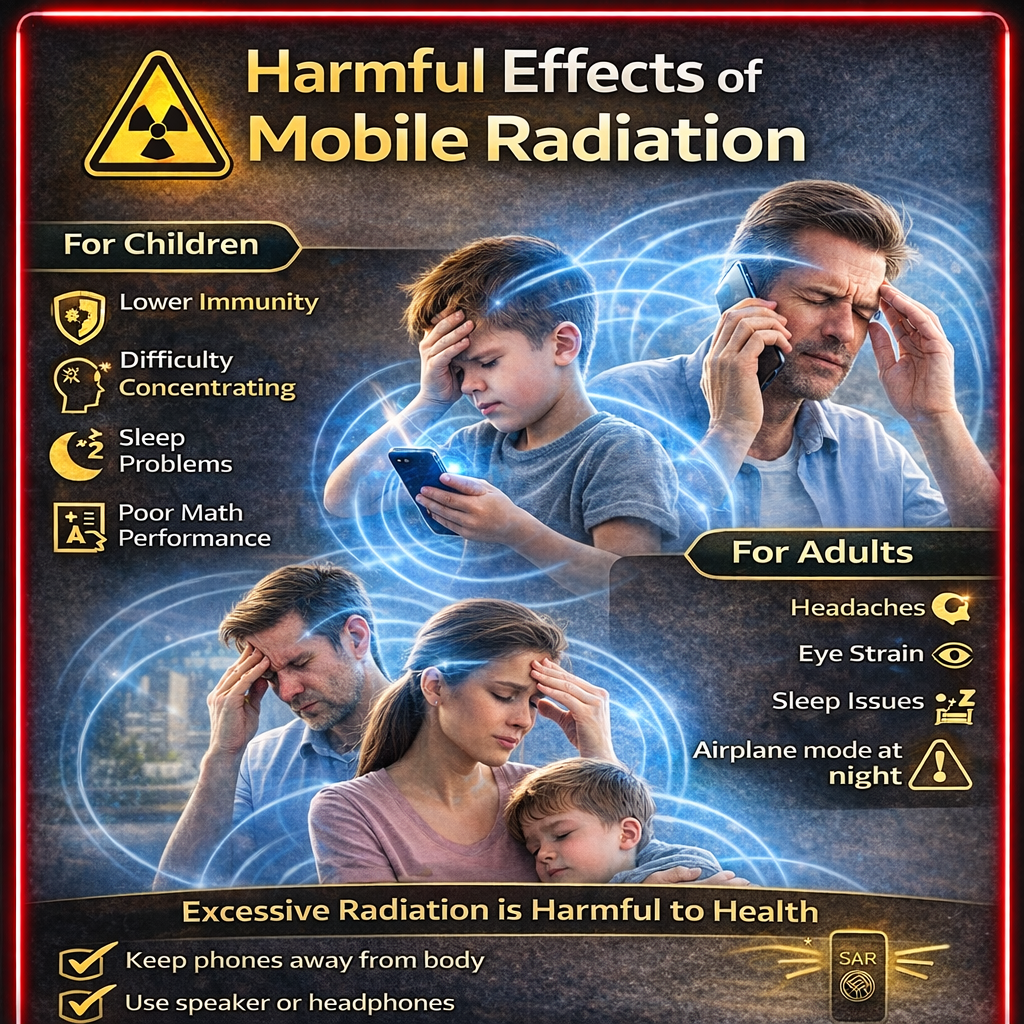
The visual representation shows how RF waves are distributed around the phone, head, body, and laptop. The real-time SAR engine compares this with your actual values.
Quick SAR Check (Guest)
Pro tip: Dail *#07# on your phone to see the values, then enter them here. (Dial the number to see the values, then enter them here.)
1 · Add Devices
Mobile phones, laptops, tablets, iPhones – add as many devices as you want (unlimited on Premium). 3 devices on the free plan.

2 · Check & Compare SAR
For each check, we compare the values against the India limit of 1.6 W/kg and the US/EU limit 2.0 W/kg and the status is displayed as: Safe / Warning / High.
3 · AI Safety Assistant
Ask something like, "My head circumference is 1.5, is that safe?" – and you'll get an answer in Hinglish with step-by-step safety tips (no medical diagnosis).

✓ Smart Mobile Use = Lower Radiation
- • Long calls using speaker / wired earphones.
- • Keep your phone away from your pillow at night, and place it on your study table.
- • Wi-Fi, Bluetooth, hotspot – it's best to keep them turned off when not in use.
- • In weak signal areas (1-2 bars), keep data usage to a minimum – the phone transmits at full power.
! Risky Habits – Things to avoid
- • Keeping the phone in your chest/shirt pocket for a long time.
- • Working for hours with the laptop placed directly on your lap.
- • Kids ko phone dekar near head videos chalwana for long duration.
- • Overnight charging + phone under pillow = double heat + RF risk.
Sponsored · EMF Protection
Place for your Sponsor / Affiliate Banner
Yahan tum apne affiliate links, EMF safe accessories, anti‑radiation cases, ya health brand banners embed kar sakte ho – high intent audience for radiation safety.
Inline Content Ads
Safety articles ke beech me text‑link ads, contextual links (e.g. “Buy shielded headset”, “Radiation‑safe phone list”) place kar sakte ho.
Guest
₹0
No login required
- • 1 SAR check total
- • Basic AI tip preview
- • Strong upgrade CTAs
Free Account
₹0
Start for serious users
- • Up to 3 devices
- • 20 checks / month
- • Last 10 checks history
- • AI safety assistant (basic tips)
- • Upgrade prompts for premium
Premium AI Safety
₹499/year
Value like a $100 professional safety suite
- • Unlimited devices & SAR checks
- • Advanced AI tips + Q&A (Hindi + English)
- • High SAR alerts & reminders
- • Downloadable PDF reports
- • Priority support & future features